On office days, the biometric machine records attendance. On work-from-home days, employees send a "good morning" message on the team group, and HR marks them present at the end of the month. The result is two kinds of attendance with different levels of evidence, and a payroll team that has to merge them by hand. Hybrid work needs one attendance record that treats both kinds of day consistently.
Write a hybrid attendance policy
The key principle: the same standards of evidence for office and home days. If office attendance needs a recorded check-in, home attendance should too.
- Which days or how many days are expected in the office.
- Core hours when everyone should be available, wherever they work.
- How attendance is recorded in the office and at home.
- How half-days, late starts and short days are treated in both settings.
- Who approves exceptions and by when.
Office days: personal, verifiable check-in
In the office, attendance should be tied to the individual. Face recognition, biometric devices and GPS geofence check-ins each do this differently. Choose what fits your premises, and make sure the record flows directly into HR rather than being exported and retyped.
Home days: a work timer instead of a message
"Good morning" messages show someone was awake, not when they started work or how long they worked. A work timer that the employee starts and stops gives a comparable record to an office check-in, with the added benefit of showing breaks and total hours. It also avoids the need for invasive tools on personal time.
Bring both into one record
The payroll team should not reconcile two systems each month. Office check-ins and home working hours should land against the same staff record, so payable days are calculated once, from one set of approved data.
How Pedinno handles hybrid attendance
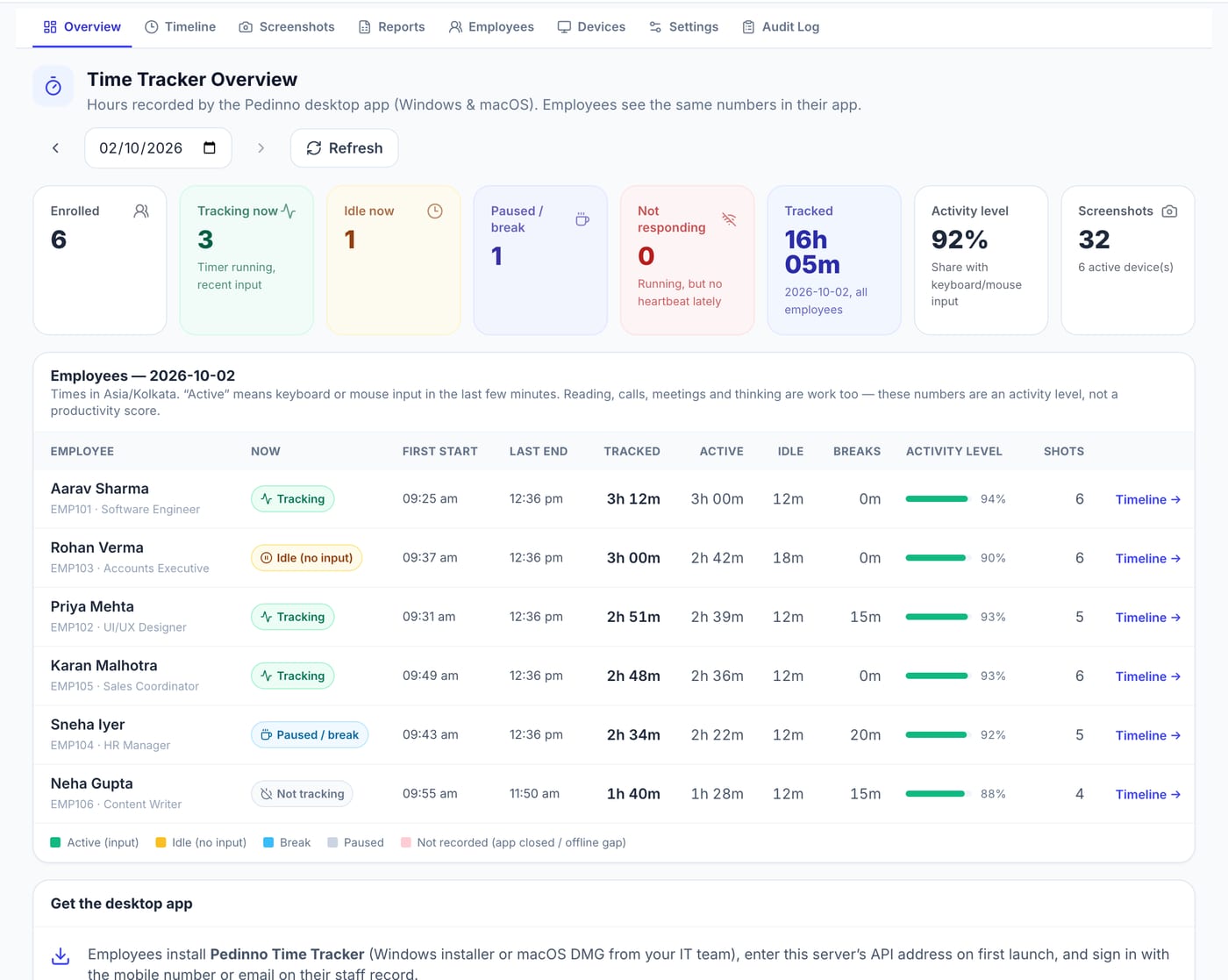
Pedinno AI HRMS records office attendance through face recognition in the Staff app, compatible biometric devices, GPS and geofencing, or manual entry, all in one attendance log that feeds payroll. On home days, Pedinno Time Tracker on Windows, macOS or Android records working time with start, pause, break and stop controls, a live team overview and daily, weekly and monthly reports. Time Tracker works with Pedinno HRMS staff records and Pedinno Payroll, so hybrid attendance does not live in a separate spreadsheet.
Review fairness after the first month
Compare office and home records for the same people. Are home days systematically shorter or longer? Are some employees always working late at home? Use what you find to adjust core hours, workloads or the office-day pattern, and share the findings with the team.
Frequently asked questions
How do you mark attendance for work-from-home employees?
Use a recorded check-in comparable to the office, such as a work timer the employee starts and stops, rather than a chat message.
Can office and WFH attendance go to payroll together?
In Pedinno, HRMS attendance and Time Tracker both work with the same staff records and Pedinno Payroll. Confirm the configuration during setup.
Should home and office days have the same rules?
Yes, as far as possible. Consistent standards for start time, breaks and approvals keep hybrid attendance fair.
See Time Tracker in action
Transparent time tracking for Windows, macOS and Android — timers, activity levels, timelines, optional screenshots and daily, weekly and monthly reports.
Ask for a walkthrough of one employee's week with three office days and two home days, from check-in to payroll input.
Explore Employee Time Tracker