An employee joins on the 18th, another takes three days of unpaid leave, and a third works extra hours during month-end closing. Each case needs the same basic numbers: how many working days and hours are in the month, what one day is worth, and what one hour is worth. The arithmetic is simple. The disagreements come from using different day-count methods and inconsistent attendance records.
Choose a day-count method and use it consistently
Indian employers commonly use one of three methods to convert a monthly salary into a per-day amount. The first divides by the calendar days in the month (28 to 31). The second divides by a fixed 30 days every month. The third divides by a fixed 26 days, which treats Sundays as paid weekly offs. Each method gives a slightly different per-day value, so the same unpaid leave can cost an employee a different amount depending on the month.
There is no single correct method for every organisation. What matters is that the method is written into the salary policy or appointment letter, is applied the same way for every employee in a category and complies with any wage rules that apply to your establishment.
Worked example: per-day and per-hour salary
Take a gross monthly salary of ₹30,000 and a standard eight-hour working day. Using the 26-day method, one day is worth ₹30,000 ÷ 26 = ₹1,153.85 and one hour is worth ₹1,153.85 ÷ 8 = ₹144.23. Using the 30-day method, one day is worth ₹1,000 and one hour ₹125. Three days of unpaid leave therefore reduce pay by ₹3,461.54 under the first method and ₹3,000 under the second. Show the formula on the payslip or in the policy so employees can check it.
- Per-day salary = monthly gross ÷ day-count basis.
- Per-hour salary = per-day salary ÷ standard daily hours.
- Payable salary = per-day salary × payable days.
- Payable days = working days + paid leave + paid holidays − unpaid absence.
Count monthly working hours correctly
Monthly working hours are the working days in the month multiplied by the standard daily hours, excluding weekly offs and declared holidays. A month with 31 days, four Sundays, one holiday and alternate Saturdays off may have 24 working days, or 192 hours at eight hours a day. Calculate this per branch if branches follow different holiday lists or shift patterns.
Where the hours come from matters more than the formula
Most salary disputes are not about arithmetic. They are about whether a half-day was recorded, whether a late login was approved, or whether extra hours were real. Hours reconstructed from memory at month end are the weakest input. Hours recorded at the time, visible to the employee and reviewed by a manager before the payroll cutoff, are the strongest.
How Pedinno connects tracked hours to payroll
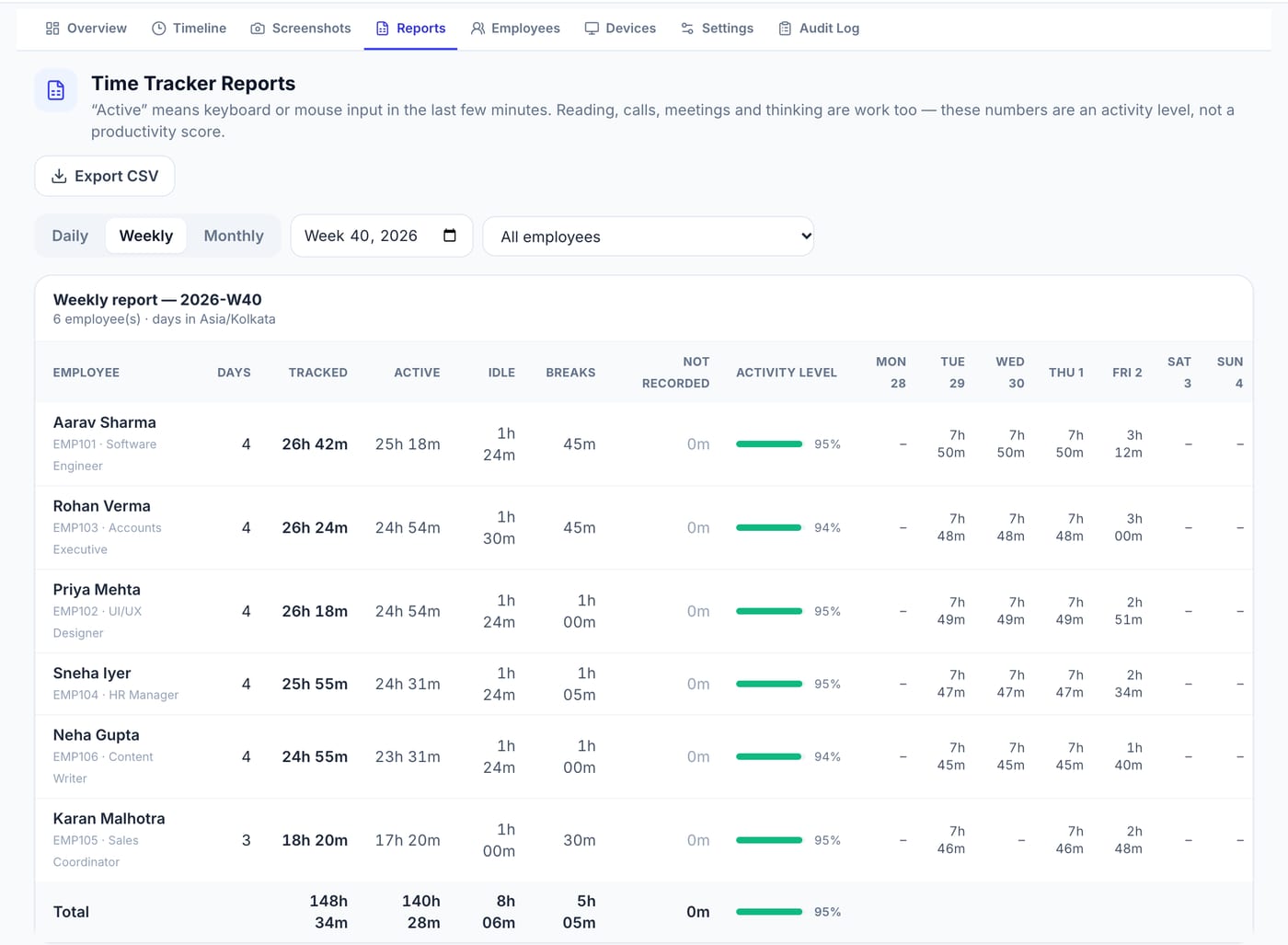
Pedinno Time Tracker records tracked, active, idle and break time for each employee on Windows, macOS and Android, with daily, weekly and monthly reports and CSV export. It works with Pedinno AI HRMS staff records and Pedinno Payroll, where configured salary structures, attendance, leave and overtime are used to generate the monthly run. Review hours and approved exceptions before the payroll day, then generate and check the run before publishing payslips.
A quick monthly checklist
Confirm the day-count basis for each employee category, finalise attendance and approved leave, review overtime against approvals, and compare any unusual change in gross pay with the previous month. Keeping the calculation documented makes it far easier to answer the employee who asks why this month's salary is different.
Frequently asked questions
Is salary calculated on 26 days or 30 days in India?
Both are used, along with actual calendar days. The method should be stated in your salary policy and applied consistently, subject to the wage rules that apply to your establishment.
How many working hours are there in a month?
Multiply the working days in that month by the standard daily hours. With 24 working days of eight hours, that is 192 hours. It changes month to month with holidays and weekly offs.
Can tracked desktop hours be used directly as payable hours?
Not automatically. Agree how meetings, field work and breaks are treated, review exceptions and then use the approved hours as payroll input.
See Time Tracker in action
Transparent time tracking for Windows, macOS and Android — timers, activity levels, timelines, optional screenshots and daily, weekly and monthly reports.
Bring one month of anonymised attendance and your salary policy, and ask for a walkthrough from tracked hours to the payroll run.
Explore Employee Time Tracker