A message to a remote employee goes unanswered for an hour. Was the person on a client call, deep in a spreadsheet, or away from the desk? Most managers do not want to spy on their team, but they do want a reasonable answer. Knowing that remote employees are working comes from three things together: agreed outcomes, a predictable communication rhythm and a shared record of working time that both sides can see.
Start with the work, not the screen
Before choosing any tool, write down what each remote role is expected to deliver in a week: tickets closed, invoices processed, designs reviewed, calls completed. When expectations are vague, managers fill the gap by watching activity. When expectations are clear, a missed deliverable is the signal that matters, and a quiet hour on chat is not.
Outcome lists do not need to be elaborate. Three to five measurable items per role, reviewed weekly, give both the manager and the employee a common reference point. They also make performance conversations about the work rather than about appearing busy.
Agree on availability and response times
Remote work breaks down when people guess at each other's availability. Agree on core hours when everyone should be reachable, the expected response time for chat and email, and how to signal a focus block or a break. A simple rule such as "reply within 30 minutes during core hours, or set your status" removes most of the anxiety behind the question "is this person working?"
- Define core hours that overlap for the whole team.
- Set a response-time expectation for each channel.
- Ask people to mark breaks and focus time visibly.
- Hold a short daily or weekly check-in focused on blockers.
Why spyware creates the problem it tries to solve
Tools that log keystrokes, capture every website or take hidden screenshots tend to produce resentment and workarounds rather than better work. People start optimising for looking active. Under India's Digital Personal Data Protection Act, employers also have to think carefully about what personal data they collect and why. Collecting the minimum needed to answer an operational question is both kinder and easier to defend.
How Pedinno Time Tracker answers the question
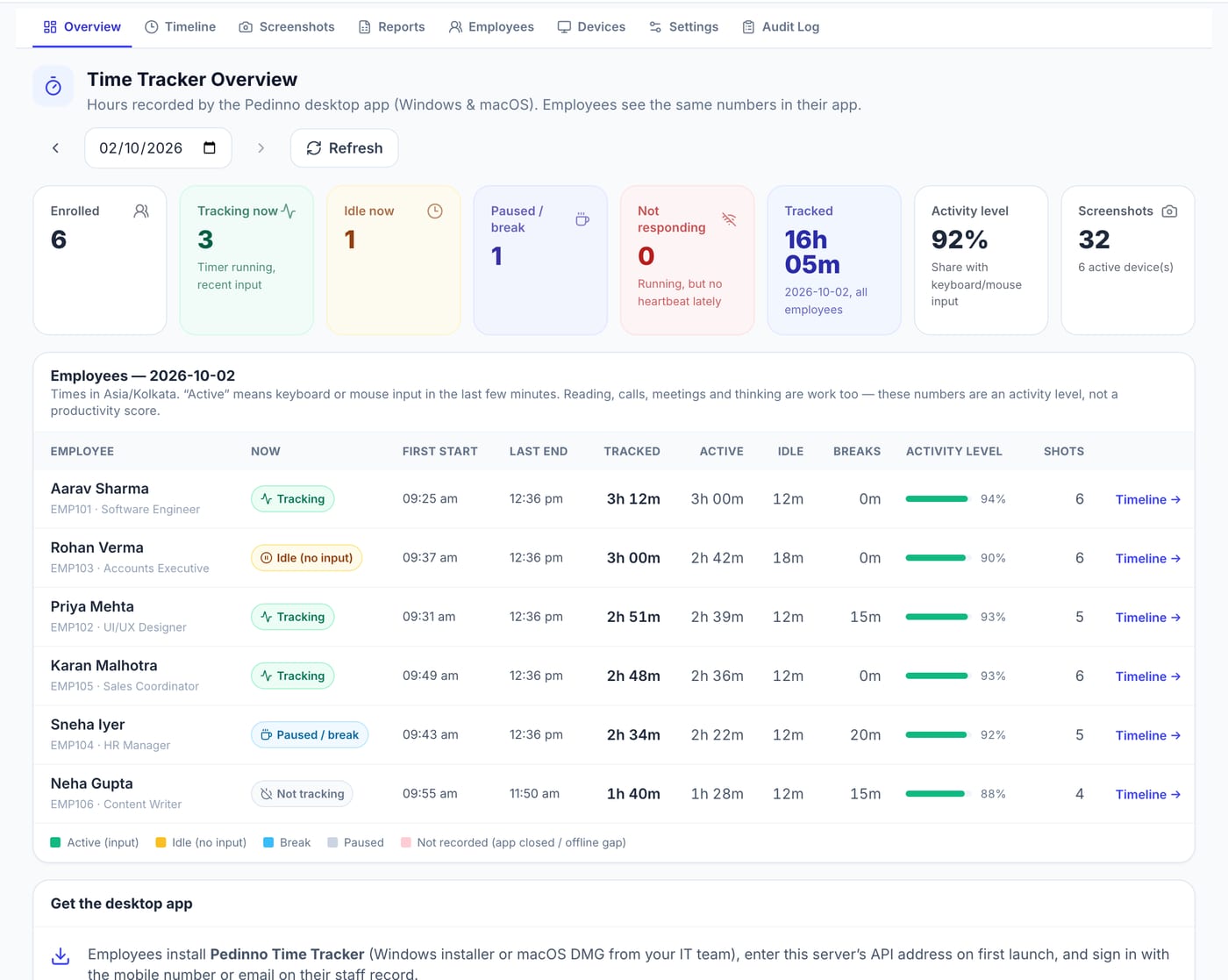
With Pedinno Time Tracker, employees start, pause, take a break and stop a work timer on Windows, macOS or Android. Managers see a live overview of who is tracking, idle, on a break or not responding, a minute-by-minute timeline of each day, and daily, weekly and monthly reports of tracked, active, idle and break hours. Activity is measured as seconds with keyboard or mouse input; typed text, passwords, URLs, camera and location are never collected. Screenshots and application names are off by default, and every employee can open a Privacy tab that shows exactly what their organisation records.
Read time data alongside outcomes
Combine the weekly time report with the outcome list. Steady hours with delivered work need no further attention. Long hours with missed outcomes may signal an overloaded role or unclear priorities. Short hours with strong outcomes may simply be an efficient employee. Only a pattern of short hours, unexplained gaps and missed deliverables justifies a direct conversation, and that conversation should start with a question rather than an accusation.
Frequently asked questions
Is it legal to monitor remote employees in India?
Monitoring of work devices is common, but employers should define a legitimate purpose, inform employees clearly and collect only the data needed. Take legal advice for your specific policy.
Do I need screenshots to know remote employees are working?
Usually not. Clear outcomes, response-time norms and a transparent time record answer most questions. Pedinno keeps screenshots off by default.
Does Pedinno Time Tracker work for remote teams on Mac?
Yes. It runs on Windows 10 and 11, macOS 12 or later on Apple silicon and Intel, and Android.
See Time Tracker in action
Transparent time tracking for Windows, macOS and Android — timers, activity levels, timelines, optional screenshots and daily, weekly and monthly reports.
Ask for a walkthrough of the live overview and weekly report using a sample remote team, then review the employee Privacy tab together.
Explore Employee Time Tracker