Pedinno Payroll

Every Check-In Connected. Payroll in One Click.

Bring face identification, geofencing and biometric attendance into one payroll workflow. Turn attendance, approved leave and overtime into salaries, configured deductions and payslips — without re-entering attendance in spreadsheets.

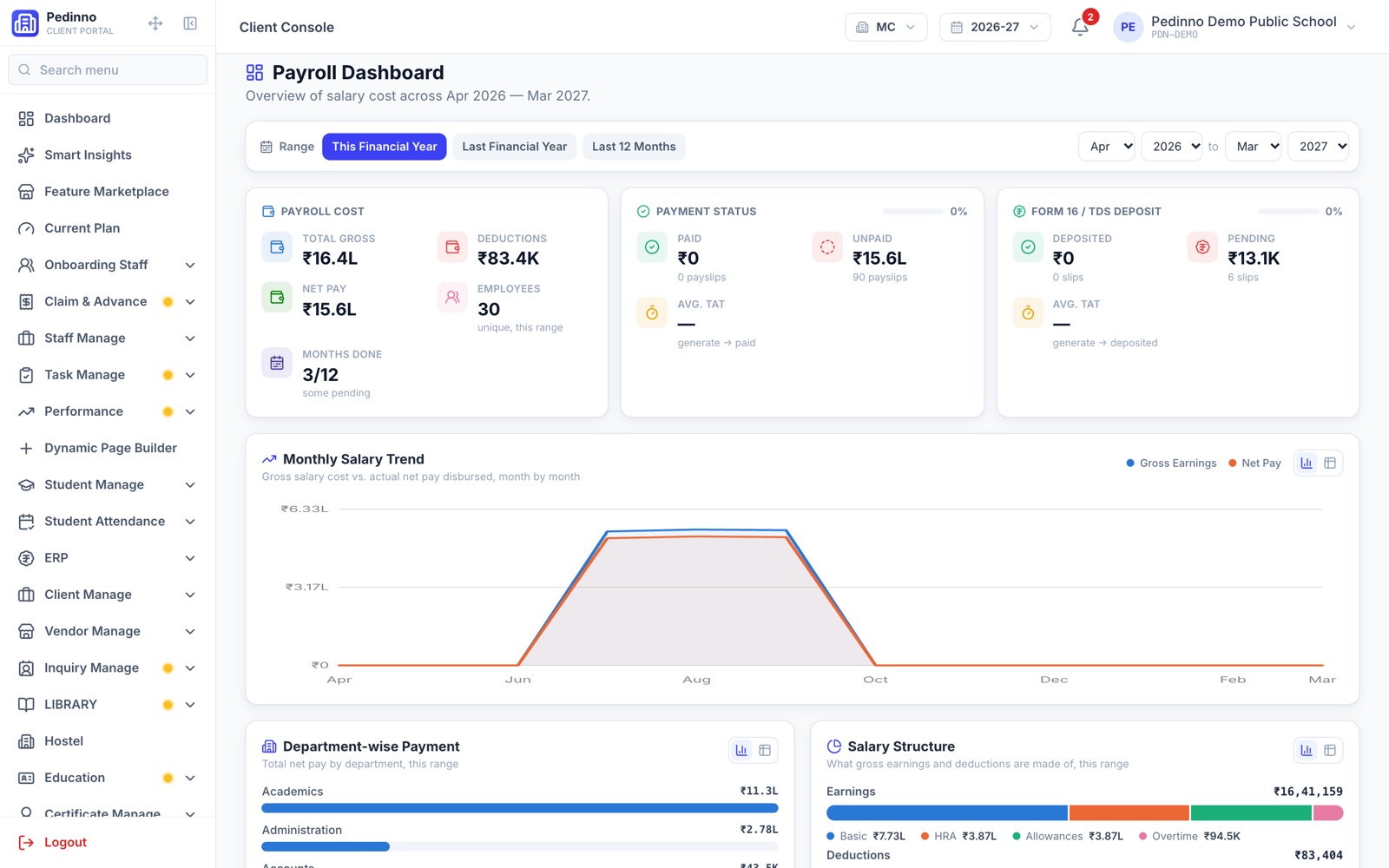
Pedinno payroll dashboard with payroll cost, payment status, TDS and monthly salary trend
Smart attendance. Connected payroll.

Three ways to check in.
One place to run payroll.

Choose the attendance method that fits your team. Pedinno brings every check-in into HRMS, so payroll starts with connected attendance.

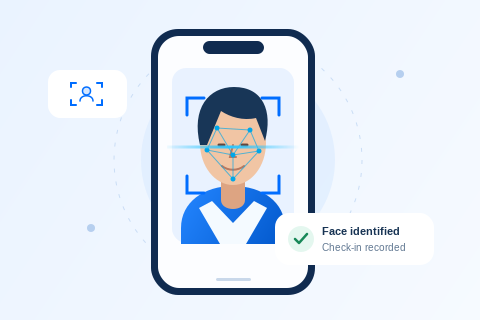
Illustration of an employee face scan on a phone with facial identification points and a verified check-in
Face Identification

A face scan. A recorded check-in.

Employees identify themselves with a face scan in the Pedinno Staff app. Attendance joins their staff record, ready for payroll.

  • Contactless attendance in the Staff app
  • On-device recognition and encrypted face templates
  • Check-ins connected to employee attendance

Ideal forSchools, offices and everyday staff attendance
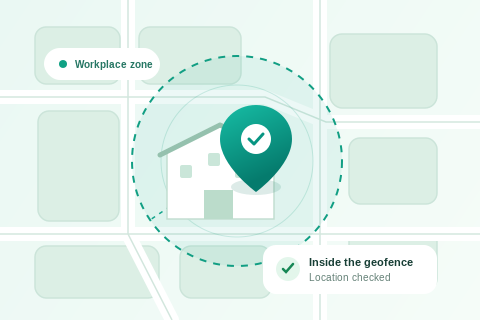
Illustration of an employee location pin inside a geofenced workplace boundary on a map
Geofencing Attendance

The right person. The right place.

Use GPS and a configured geofence to verify attendance at your office, campus or project site. Bring location-based check-ins into the same attendance log.

  • GPS-based attendance from the Staff app
  • Geofences for branches and project sites
  • Connected attendance for distributed teams

Ideal forField teams, multiple branches and client sites

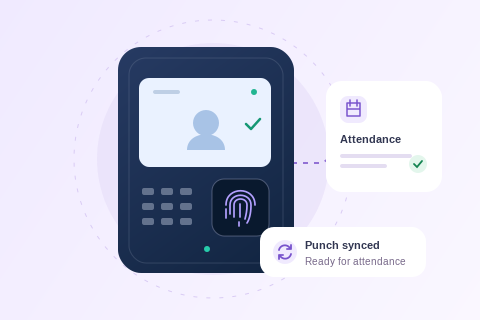
Illustration of a fingerprint attendance terminal sending a verified employee punch to a connected attendance record
Biometric Attendance

One punch. No manual re-entry.

Connect a compatible biometric attendance device to Pedinno. Employee punches flow into branch attendance automatically and feed the payroll workflow.

  • Compatible iClock / ADMS push devices
  • Automatic punch sync after branch setup
  • Device attendance connected to payroll

Ideal forOn-site teams with supported attendance machines

Attendance & approved leaveOne-click payroll generationPayslips & reports
How one-click payroll works

From attendance to salaries. In one run.

Set up your salary rules once. Then follow a simple monthly workflow, with a review before you publish.

Set up once. Configure salary structures, pay cycles, Payroll Day and applicable deduction rules for your organisation.

  1. Finalise attendance

    Bring together face, geofence and biometric check-ins. Review missing punches, approved leave and overtime for the pay period.

  2. Choose branch & month

    Open Generate Payroll and select your branch and pay month. Generation becomes available after your configured Payroll Day.

  3. Click Generate Payroll

    Generate salaries in one run from payable attendance and your configured earnings, deductions, claims and recoveries.

  4. Review & share payslips

    Check gross pay, deductions and net pay before locking the run. Publish payslips to the Staff app and export salary and bank reports.

Try one-click generation

Interactive example · fictional staff

Demo branchSample month · 30 days
Example salaries calculated from payable days. Deductions are illustrative.
EmployeePayable daysMonthly salary
AshaAdministration28 / 30₹30,000
RaviOperations30 / 30₹24,000
NehaSupport27 / 30₹21,000

Attendance ready. Salary rules set. One click to calculate.

Example: monthly salary × payable days ÷ 30, less sample deductions. Your payroll follows your configured rules.

Product Screens

Payroll Management Software — Real Screens

Actual Pedinno screens, captured on a demo school with fictional data.

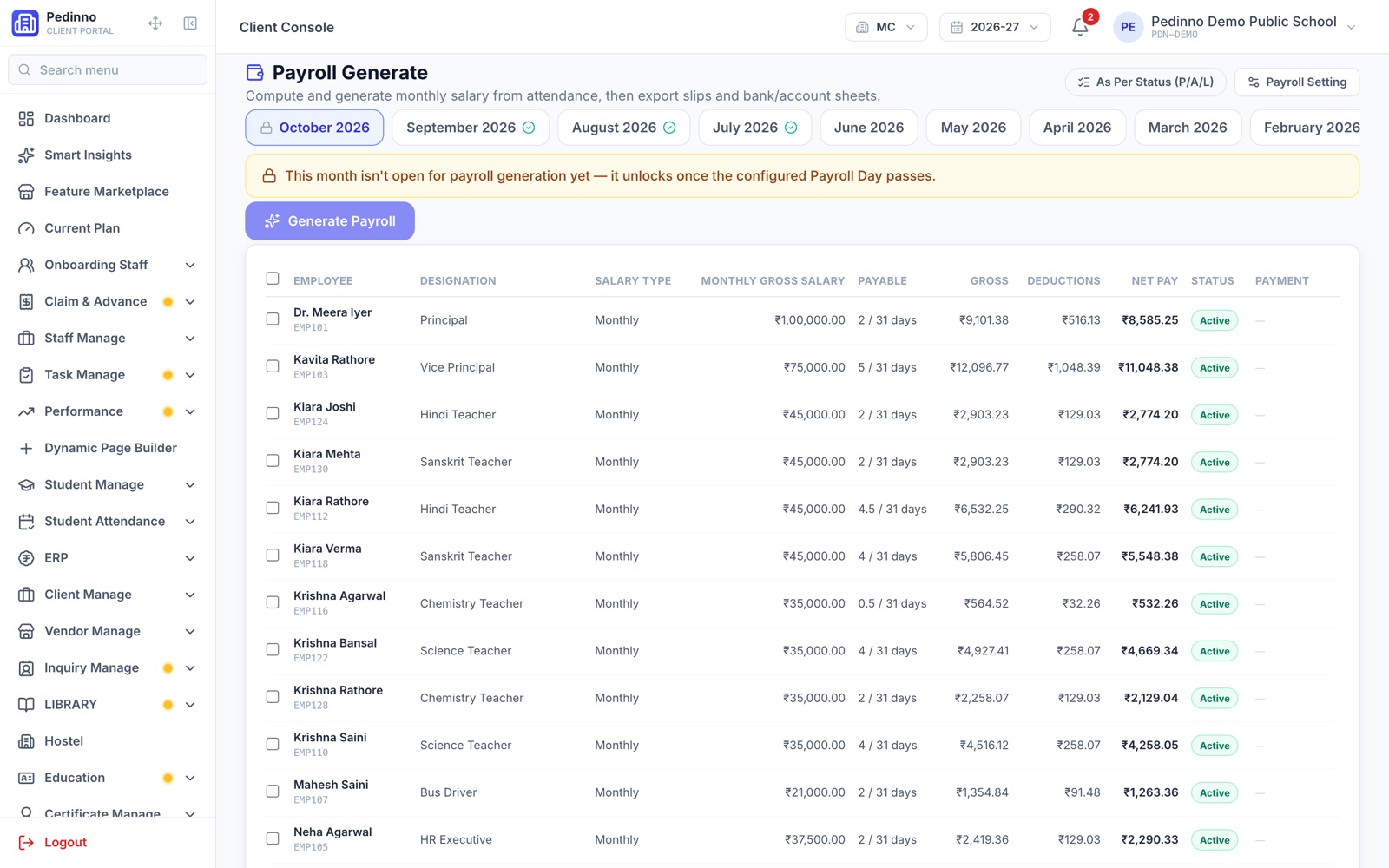
Pedinno generate payroll screen listing employees and net pay
Generate payroll
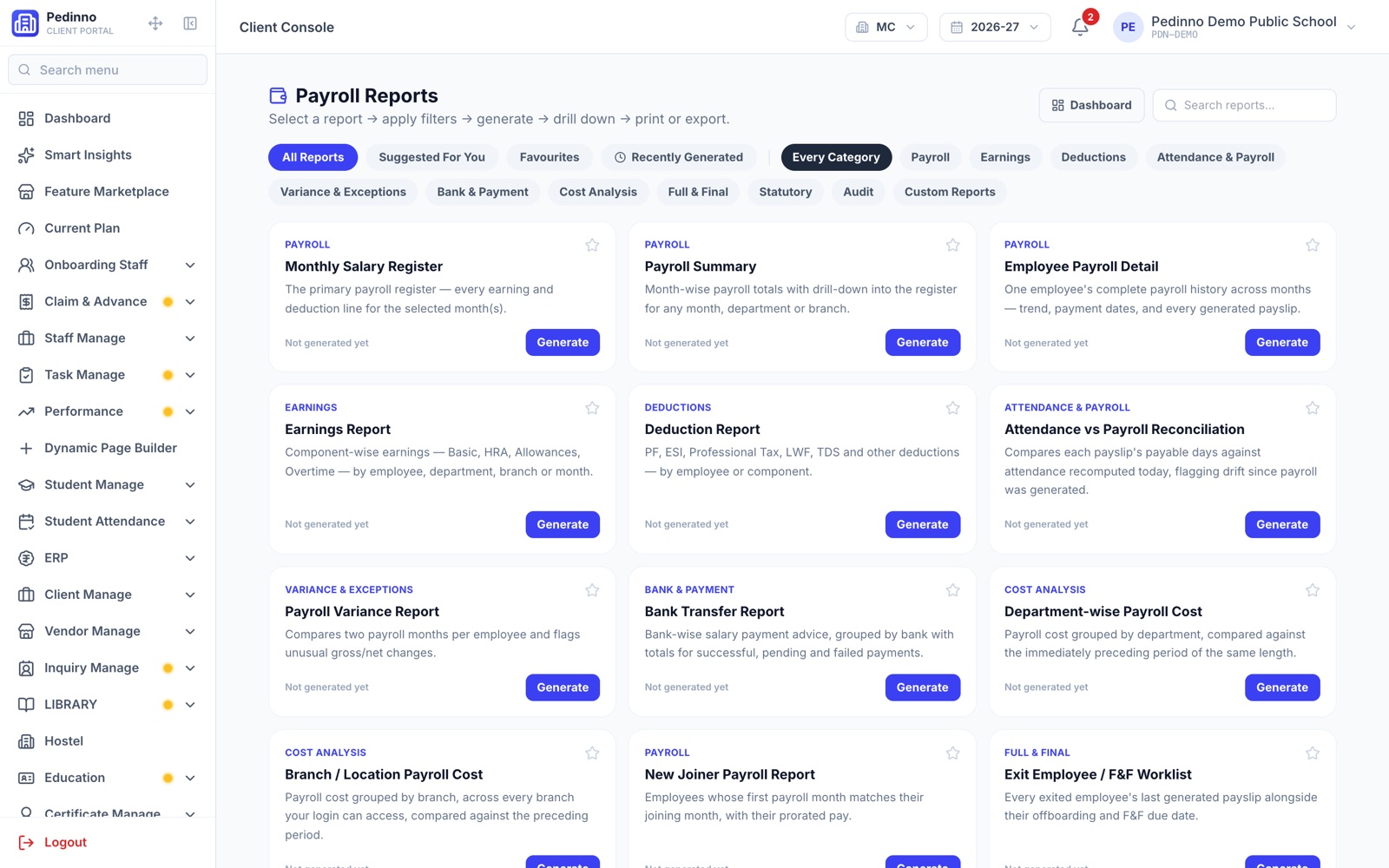
Pedinno payroll reports centre
Payroll reports
Mobile Apps

Payroll on Android and iOS

Pedinno AI — My Login

Staff self-service app for face and GPS attendance, plus optional Field Staff Tracking during checked-in shifts — including in the background after the staff member agrees — alongside leave, claims, payslips, tasks and approvals.

Overview

What Payroll Management Software Does

Attendance-linked payroll software with PF, ESI, PT, TDS and LWF, payslips, Form 16, claims, advances, loans and automatic accounting entries.

Business Challenges

  • Salary calculations in spreadsheets break whenever attendance or rules change.
  • Statutory deductions and year-end Form 16 take days of manual work.
  • Claims, advances and loan recoveries are tracked outside payroll and get missed.
  • Payroll and accounts never quite match at month end.

Core Capabilities

  • One-click payroll generation
  • Face identification, geofencing & biometric attendance
  • Attendance, leave & overtime linked salary
  • PF, ESI, Professional Tax, TDS & LWF
  • Flexible salary structures & wage types
  • Professional & wage payslips
  • Form 16 generation
  • Bonus, gratuity, arrears & final settlement
  • Loans, advances & advance wallet
  • Claims & reimbursements
  • Payroll reports & accounting posting
Product Modules

Modules and Functional Areas

Payroll Dashboard

Month status, headcount, gross-to-net totals and pending actions at a glance.

Generate Payroll

Pull attendance, leave and overtime and generate payroll for a branch in one run.

Salary Structures

Earnings and deduction components, professional and wage employees, CTC breakup.

Statutory Deductions

PF, ESI, Professional Tax, TDS and LWF calculated per your configuration.

Payslips

Branded professional and wage payslips, shared digitally with employees.

Form 16

Year-end Form 16 generation for employees.

Claims & Reimbursements

Employees submit claims in the app; managers approve and accounts settle.

Advances & Loans

Salary advances, loans and EMI recoveries deducted automatically.

Payroll Reports Center

Salary register, statutory reports and Excel / PDF exports.

Accounting Integration

Salary and claim entries posted to ledgers automatically.

User Roles

Payroll AdministratorsHR ManagersAccountantsFinance HeadsEmployees

Integration Options

  • Pedinno AI HRMS attendance & leave
  • Face identification and geofence attendance
  • Compatible iClock / ADMS biometric devices
  • Pedinno Accounting ledgers
  • Excel and PDF report exports
  • Staff app for payslips and claims

Benefits

  • Payroll in minutes instead of days
  • Fewer errors with attendance-linked calculations
  • Statutory deductions handled inside the system
  • Employees self-serve payslips, claims and advances
  • Payroll and accounts always reconcile

Use Cases

  • Schools and colleges paying teaching and non-teaching staff
  • SMEs and enterprises with professional and wage employees
  • Manpower and facility firms paying staff across client sites
  • Organisations replacing spreadsheet payroll
Security and Data Handling

How We Protect Product Data

  • Payroll access restricted by role and branch
  • Employees see only their own payslips and claims
  • Locked payroll runs with audit history
  • Encrypted data transmission

Pedinno Payroll calculates statutory deductions based on the rules and rates you configure. Organisations remain responsible for verifying compliance with current laws and filing statutory returns.

FAQs

Payroll Management Software Frequently Asked Questions

Set salary structures, pay cycles and deduction rules once. Each month, finalise attendance and approved leave, open Generate Payroll, and select your branch and month. Once the configured Payroll Day has passed, click Generate Payroll to calculate salaries. Review the results before locking the run and publishing payslips.

Yes. Face scans in the Pedinno Staff app record employee attendance, which feeds Pedinno Payroll through HRMS. Recognition runs on the device and face templates are encrypted.

GPS and configured geofences help verify employee attendance at an office, branch or project site. Those attendance records feed the same payroll workflow as office attendance, so you do not need to re-enter field-team attendance.

Pedinno supports compatible devices using the iClock / ADMS auto-push protocol. Once a supported device is claimed for a branch, employee punches flow into attendance automatically. Confirm your device model and protocol during setup.

Yes. Statutory deductions including PF, ESI, Professional Tax, TDS and LWF are calculated based on your configured rules.

Yes. Payslips are available in the Pedinno Staff app, along with claims and advance requests.

Yes. Both professional (monthly salary) and wage employees are supported, each with its own payslip format.

Yes. Salary and claim entries can be posted to Pedinno Accounting automatically.

Ready to See Payroll Management Software in Action?

Request a product demo or talk to our team about your specific requirement.

Practical Guides

Solve everyday problems with Payroll

Payroll··4 min read

Payroll Errors Every Month? Fix the Attendance Handoff First

Repeated salary corrections? Learn how attendance, approved leave and salary rules connect in Pedinno payroll software for a clearer monthly payroll run.

Read Article
Related Products

Explore Related AI Products

HRMIS

AI HRMS & HRMIS

AI-powered HRMS for hiring, onboarding, face and biometric attendance, leave, tasks, performance, assets, offboarding and project workforce management.

  • AI interviews & interview reports
  • Resume parsing & candidate ranking
  • Offer letters, pre-boarding & appointment letters
  • Face recognition attendance
Explore AI HRMS & HRMIS
ERP

Business ERP, CRM & Accounting

Accounting, banking, sales and purchase, client and vendor management, leads, feedback and portals — connected to payroll and fees.

  • Ledgers, journals & year-end closing
  • Banking, payments & receipts
  • Sales & purchase invoicing
  • Client quotations, orders, contracts & renewals
Explore Business ERP, CRM & Accounting
Related Solutions

Explore Related Solutions

Business Process Automation

Automating repetitive operational processes across departments with configurable workflow logic.

Learn More

AI Analytics and Reporting

Turning business data into structured dashboards, reports, and decision-support analytics.

Learn More