An agency quotes a client for 20 hours of work. At month end, the team believes it spent closer to 35, but nobody can show where the extra time went. The client pays for 20. Unrecorded hours are one of the most common ways service businesses lose margin, and they are usually lost in small pieces: a quick call, a revision, an email thread, a fix after hours.
Decide what counts as billable
Write a short definition for your team. Client meetings, deliverable work and revisions are usually billable. Internal meetings, training, proposals and administration usually are not. Grey areas such as client emails, travel and rework caused by your own mistakes need a rule, otherwise each person decides differently.
Put the rule in the client agreement too. Clients accept invoices more readily when they know in advance how calls, revisions and urgent requests are charged.
Record time when it happens
Hours reconstructed on Friday are always lower than hours actually worked, because short tasks are forgotten. Capture total working time with a running timer, and capture what the time was spent on in a short daily log while it is fresh. The two together give you an accurate total and a defensible breakdown.
- Start the timer when work starts and pause it for personal time.
- Note the client and task for each block of work during the day.
- Mark calls and meetings in the log as they happen.
- Review the log against the tracked total before submitting.
Reconcile hours before you invoice
Once a week, compare each person's tracked hours with the hours logged against clients. A large gap means time is going somewhere unrecorded, often internal coordination or unplanned client requests. That gap is the most valuable number in the exercise: it shows you which clients need a scope conversation and which internal processes need fixing.
Use the data to price the next project
After two or three months, you will know how long a typical website, audit or campaign really takes in your team. Use those actual figures, not optimistic estimates, for the next quotation. Combine them with your employee cost per hour to see which clients and project types are actually profitable.
How Pedinno supports billable time
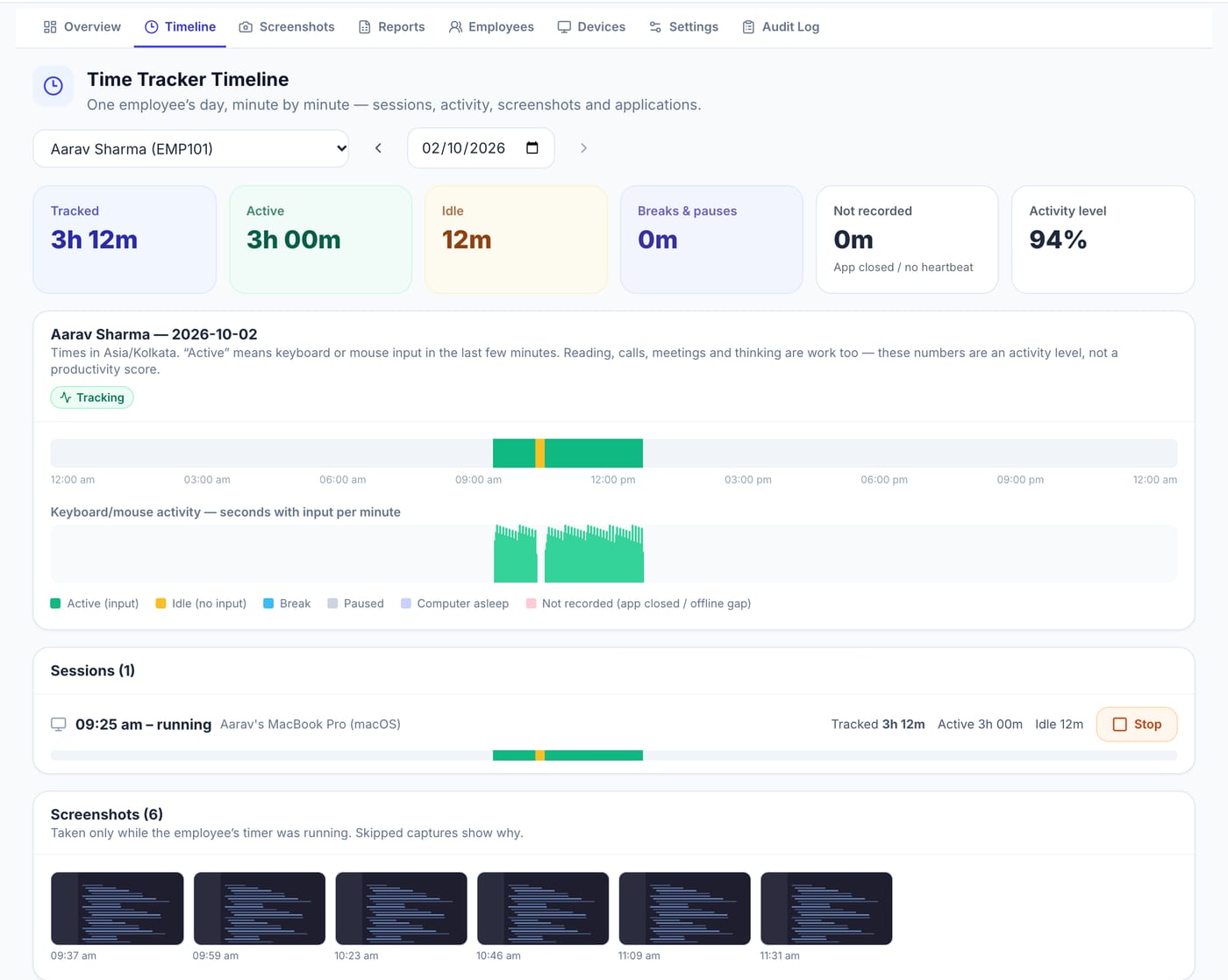
Pedinno Time Tracker records each employee's working time on Windows, macOS or Android with start, pause, break and stop controls, minute-by-minute timelines and daily, weekly and monthly reports with CSV export, so you have a reliable total for every person and day. Pedinno lists accurate inputs for client billing among the tracker's main benefits. For the breakdown by client and task, pair it with a daily work log; Pedinno Smart Employee MIS drafts each employee's daily report for review and manager approval.
Frequently asked questions
What is a good billable utilisation rate?
It depends on the role. Delivery staff typically have a higher billable share than managers. Measure your own baseline for a few months before setting a target.
Can Pedinno Time Tracker export hours for invoicing?
Yes. Daily, weekly and monthly reports can be exported as CSV and used in your invoicing or accounting process.
Should clients see the raw time records?
Usually a summary by task is enough. Share detailed records only if your agreement requires it and employees have been told.
See Time Tracker in action
Transparent time tracking for Windows, macOS and Android — timers, activity levels, timelines, optional screenshots and daily, weekly and monthly reports.
Bring one client's last month of work and ask how tracked hours and daily reports could support the invoice.
Explore Employee Time Tracker