A chartered accountancy practice charges a fixed annual fee for a client's GST returns, bookkeeping and income tax filing. The partner suspects that this client takes far more staff time than the fee covers, but cannot prove it. During return and audit seasons, articles and staff work long hours, yet the firm has no clear record of where those hours went. Time data turns these suspicions into decisions about fees, staffing and workload.
Why fixed fees hide unprofitable clients
Most CA firms in India bill clients on fixed monthly or annual fees. That is convenient for clients, but it means the firm only discovers an unprofitable engagement indirectly, through overworked staff and late filings. Clients with messy records, frequent queries and last-minute documents can consume several times the hours of a well-organised client paying the same fee.
Even a few months of time data, grouped by client, usually reveals a handful of engagements that need a fee revision or a scope conversation.
Plan for seasonal peaks
Return filing deadlines, tax audits and year-end closing create predictable peaks. Time records from the last season show how many hours each type of engagement needed, which lets the firm plan staffing, start work earlier for heavy clients, and avoid the scramble of the final week. They also show when overtime is becoming a regular pattern rather than a seasonal one.
Set up time tracking for a practice
Keep the categories simple: client name and type of work such as GST, TDS, ITR, audit or bookkeeping.
- Track total working time for every staff member and article.
- Keep a short daily log of the clients and tasks worked on.
- Agree how client calls, queries and document chasing are recorded.
- Review hours per client monthly against the fee.
- Revisit fees and scope at renewal using the actual data.
Respect confidentiality
CA firms handle sensitive financial data. Avoid trackers that capture screenshots by default or record websites, which could store client information in an unexpected place. A tracker that records time and input counts, without screen content, fits better with a firm's confidentiality obligations.
How Pedinno supports CA and accounting firms
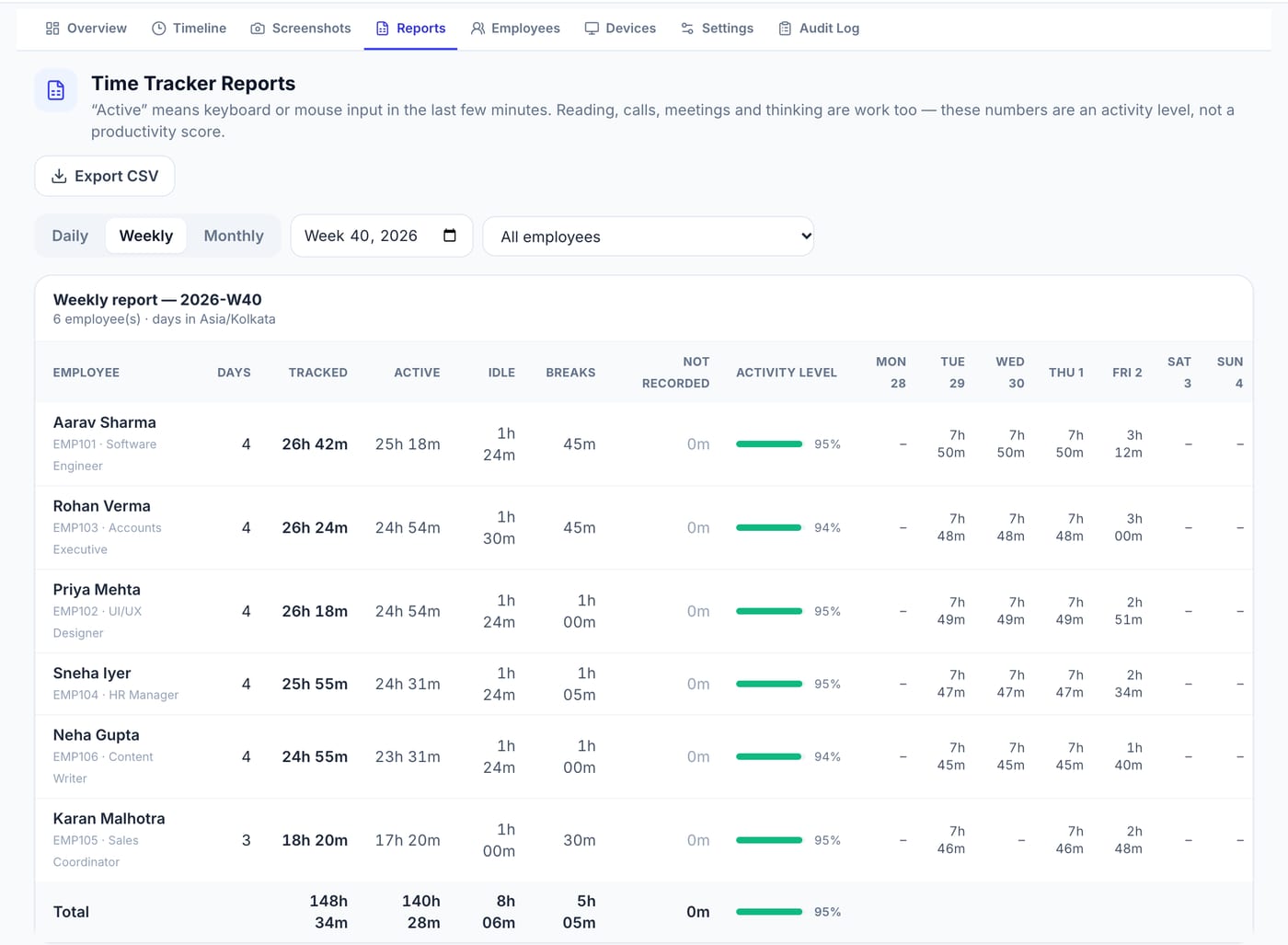
Pedinno Time Tracker records each staff member's working time on Windows, macOS or Android with start, pause, break and stop controls and minute-by-minute timelines. Daily, weekly and monthly reports with CSV export give the firm reliable totals for every person. Screenshots and application names are off by default, and typed text, passwords, clipboard contents and URLs are never collected. Pair the totals with a daily work log by client to see where hours go, and Pedinno Payroll can use attendance and overtime for staff salaries.
Frequently asked questions
Can a small CA firm use time tracking?
Yes. Pedinno Time Tracker is priced per staff member per month, so a small practice pays only for the people it enrols. A 10-day free trial is available.
Does the tracker store client data from staff screens?
Not unless screenshots are enabled. In Pedinno they are off by default, and URLs and typed text are never collected.
How do we see hours by client?
Use the tracker for reliable totals and a short daily log of clients and tasks for the breakdown.
See Time Tracker in action
Transparent time tracking for Windows, macOS and Android — timers, activity levels, timelines, optional screenshots and daily, weekly and monthly reports.
Bring a list of five clients and their fees, and ask how a month of time data would show the hours behind each one.
Explore Employee Time Tracker