Almost every small business starts with a spreadsheet timesheet: one row per day, columns for in-time, out-time and total hours, and a formula at the bottom. It costs nothing and everyone understands it. The trouble starts quietly: a broken formula, three versions of the same file, entries typed in on Friday afternoon for the whole week. Here is how to tell when the spreadsheet has become the bottleneck.
What a good Excel timesheet looks like
If you are staying with a spreadsheet for now, make it as robust as possible. Use one sheet per employee per month, lock the formula cells, record time in 24-hour format, and calculate total hours with a formula such as =(OutTime−InTime)×24 minus break hours. Add a column for the reason when hours differ from the standard day, and a cell for the manager's approval. Store the files in one shared location with clear naming.
- Date, in-time, out-time, break minutes and total hours.
- A reason column for late starts, early exits and overtime.
- Locked formulas and data validation for time cells.
- Manager approval and the date it was approved.
Sign 1: timesheets are filled from memory
When people complete the sheet at the end of the week, the numbers drift towards the standard day. Real variations, such as a long client call or an early finish, disappear. The timesheet becomes a record of what people think they should have worked rather than what they did.
Sign 2: payroll spends days reconciling files
If accounts receives a dozen spreadsheets in slightly different formats and has to fix formulas, chase missing weeks and retype totals into payroll, the hidden cost of the free spreadsheet is the payroll team's time. Every manual copy is also a chance for an error that turns into a salary correction.
Sign 3: you cannot see the team today
A spreadsheet tells you about last week. It cannot tell you who has started work this morning, who is on a break or whether anyone is overloaded right now. For remote and hybrid teams, that lack of a live view is often the deciding factor.
Sign 4: disputes have no evidence
When an employee and a manager disagree about hours, a spreadsheet offers no independent record. Edits can be made without a trace and old versions are overwritten. A tracker with a timeline and an audit log gives both sides the same facts.
Moving from spreadsheet to Pedinno Time Tracker
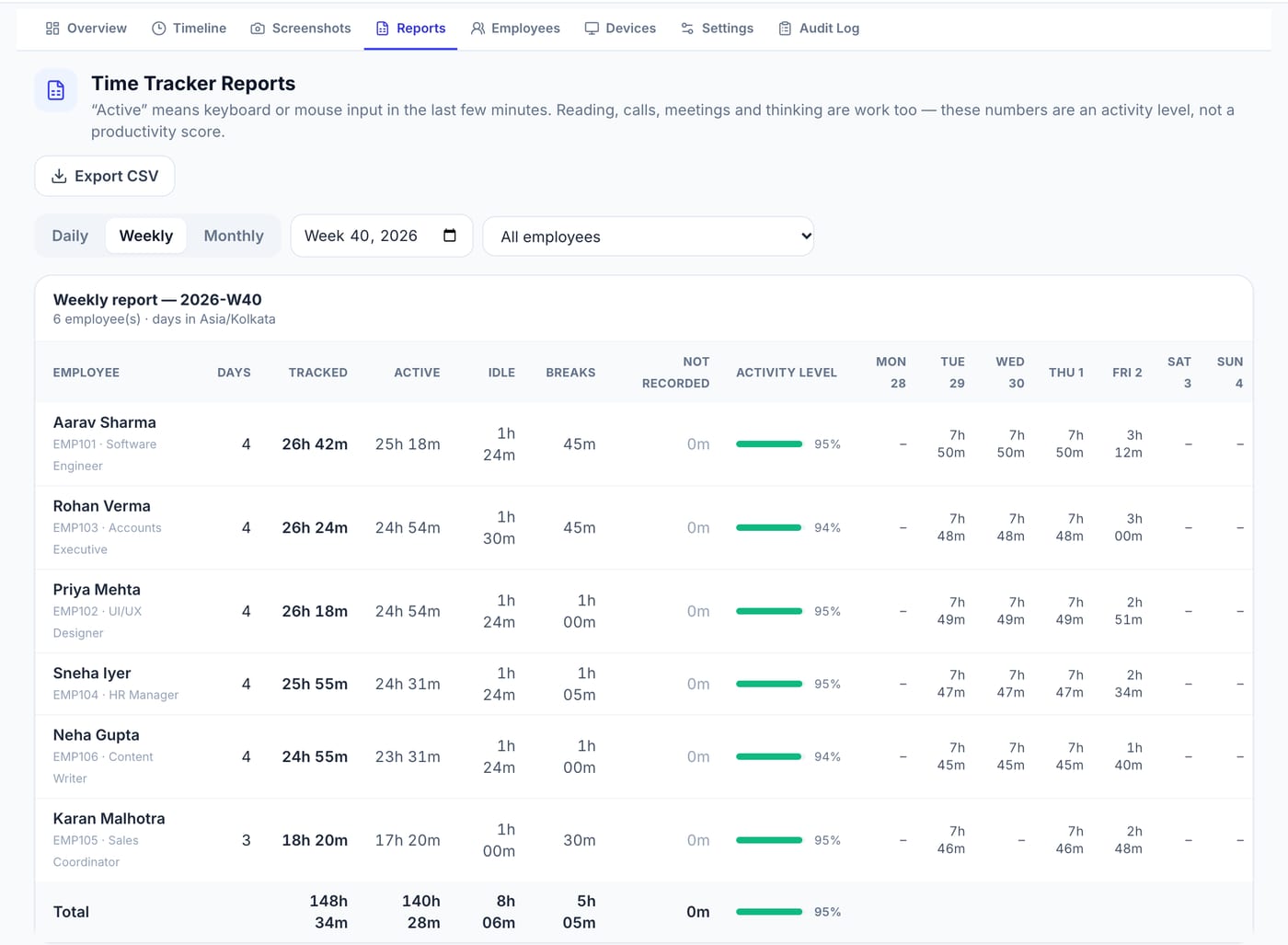
Pedinno Time Tracker replaces the manual timesheet with a timer employees start, pause, break and stop on Windows, macOS or Android. Time is recorded as it happens, managers see live status and minute-by-minute timelines, and daily, weekly and monthly reports can be exported to CSV if you still want a spreadsheet for analysis. Run both side by side for two weeks, compare the totals and explain any differences to the team before switching over. A 10-day free trial lets you test this with real working days.
Frequently asked questions
What is the formula for total hours in an Excel timesheet?
With times in 24-hour format, use =(OutTime−InTime)×24 to get decimal hours, then subtract break hours. Format the result as a number, not time.
Can I export time tracker data back to Excel?
Yes. Pedinno Time Tracker reports can be exported as CSV, which opens in Excel or Google Sheets.
How long should we run both systems in parallel?
Two weeks is usually enough to compare totals, find differences and fix the process before retiring the spreadsheet.
See Time Tracker in action
Transparent time tracking for Windows, macOS and Android — timers, activity levels, timelines, optional screenshots and daily, weekly and monthly reports.
Bring last month's timesheet spreadsheet and compare it with a sample Pedinno weekly report during the demo.
Explore Employee Time Tracker