Two employees finish the week with activity levels of 92% and 61%. It is tempting to call the first productive and question the second. But the first spent the week copying data between spreadsheets, and the second read three contracts, ran four client calls and found a costly error. Activity measures how often the keyboard and mouse were used. It does not measure what the work achieved.
What an activity level actually is
In most time trackers, the activity level is the share of tracked time in which there was keyboard or mouse input. In Pedinno Time Tracker, the app records whether there was input in each second, counts only, and reports the activity level as the share of tracked time with input. It is a measure of interaction with the computer.
Work that shows as low activity
Many of the most valuable tasks in a business produce little input. Senior roles often show lower activity than junior ones for exactly this reason.
- Reading and reviewing documents, contracts or code.
- Phone calls, video meetings and discussions.
- Thinking, planning and problem-solving.
- Training and learning.
- Waiting on long-running processes.
When activity data is useful
Activity is useful as a sanity check, not a score. It helps spot timers left running during long absences, shows whether a role is mostly hands-on or mostly conversational, and reveals sudden changes in someone's pattern that might signal a problem worth asking about. It is most useful when compared with the same person's normal pattern rather than with colleagues in different roles.
Measure output instead
Define two to four outcome measures for each role: tickets resolved, invoices processed, leads followed up, features shipped, files reviewed. Add a quality measure where possible, such as errors, rework or customer feedback. Review these weekly. Use time records to understand cost and workload, and outcomes to understand performance.
How Pedinno presents activity
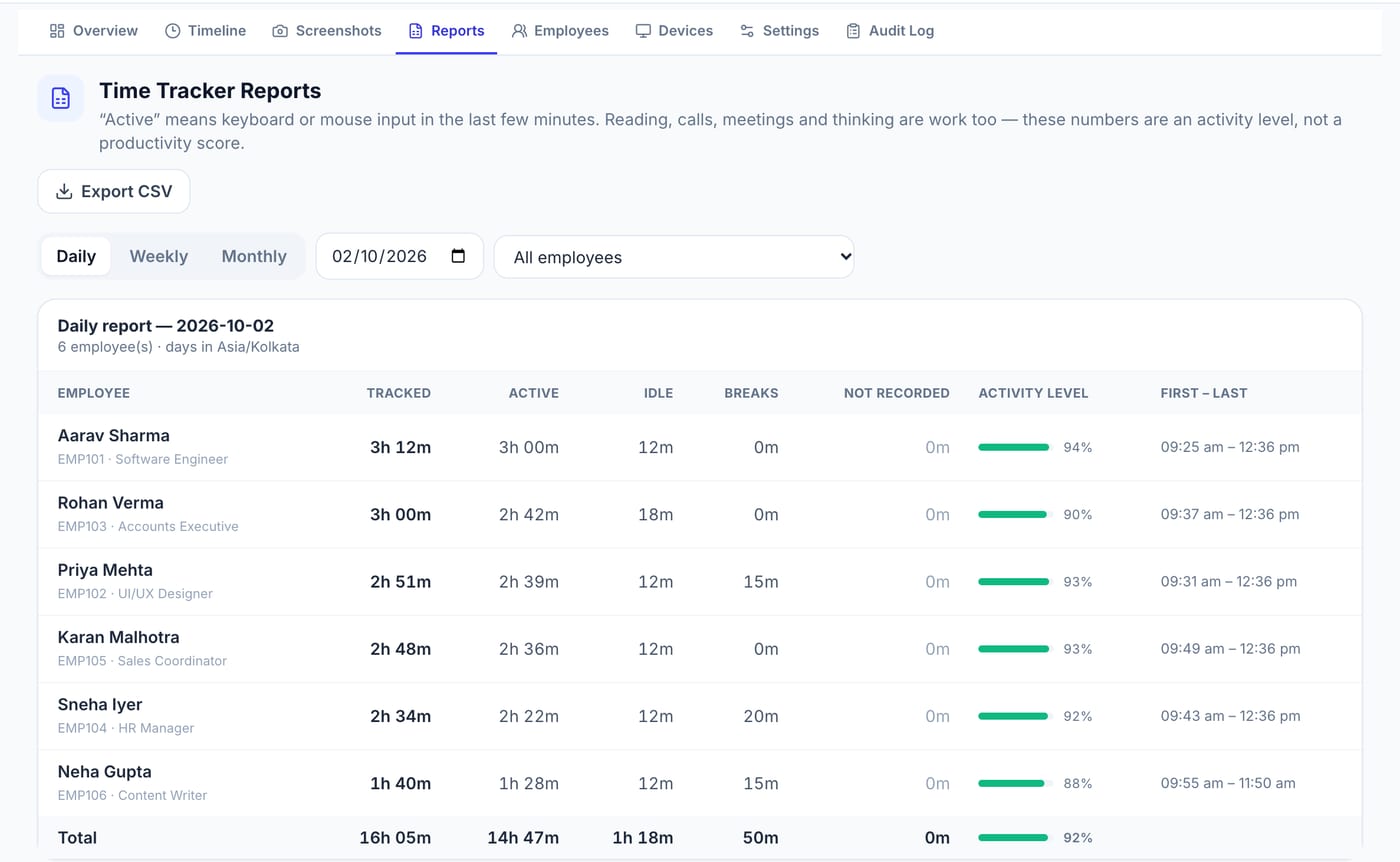
Pedinno Time Tracker reports tracked, active, idle and break time per employee, with an activity level shown alongside. The product states plainly that the activity level is not a productivity score, and the reports remind managers that reading, calls, meetings and thinking are work too. Typed text, key sequences and passwords are never collected.
Set expectations with managers
Brief every manager who will see reports. Agree that activity levels are not used in appraisals, ratings or rankings, and that any concern starts with outcomes. Writing this into the tracking policy prevents the slow drift from time visibility into activity scoring.
Frequently asked questions
What is a good activity level?
There is no universal good number. It varies by role and day. Compare a person with their own usual pattern and always read it alongside output.
Does a high activity level mean an employee is productive?
No. It means there was frequent keyboard or mouse input. Productivity is measured by results and quality.
Does Pedinno use activity level as a productivity score?
No. Pedinno describes activity level as the share of tracked time with input and states that it is not a productivity score.
See Time Tracker in action
Transparent time tracking for Windows, macOS and Android — timers, activity levels, timelines, optional screenshots and daily, weekly and monthly reports.
Bring two contrasting roles from your team and compare how their activity patterns and outcomes would appear in Pedinno reports.
Explore Employee Time Tracker