A mouse jiggler is a small USB device or app that moves the cursor every few seconds so a computer never looks idle. When a manager discovers one, the reaction is usually anger. A more useful reaction is curiosity, because a jiggler is a symptom. It tells you that someone feels judged by an activity number, and that your process relies on that number more than it should.
Why employees use mouse jigglers
Only the last reason is a performance problem. The first three are process problems that a jiggler is quietly working around.
- Chat status turns "away" during calls, reading or thinking, and they worry how it looks.
- The screen locks during long downloads, presentations or video calls.
- They believe the employer judges performance by an activity percentage.
- In some cases, to appear present while not working.
Be honest about what activity tracking can detect
Activity tracking based on keyboard and mouse input cannot reliably tell a jiggler from a real hand on the mouse. A hardware mouse mover generates genuine input. That includes input-counting trackers such as Pedinno Time Tracker, which records whether there was keyboard or mouse input in each second and would count jiggler movement as input. Any vendor claiming complete jiggler detection deserves careful questioning.
What the wider record can show
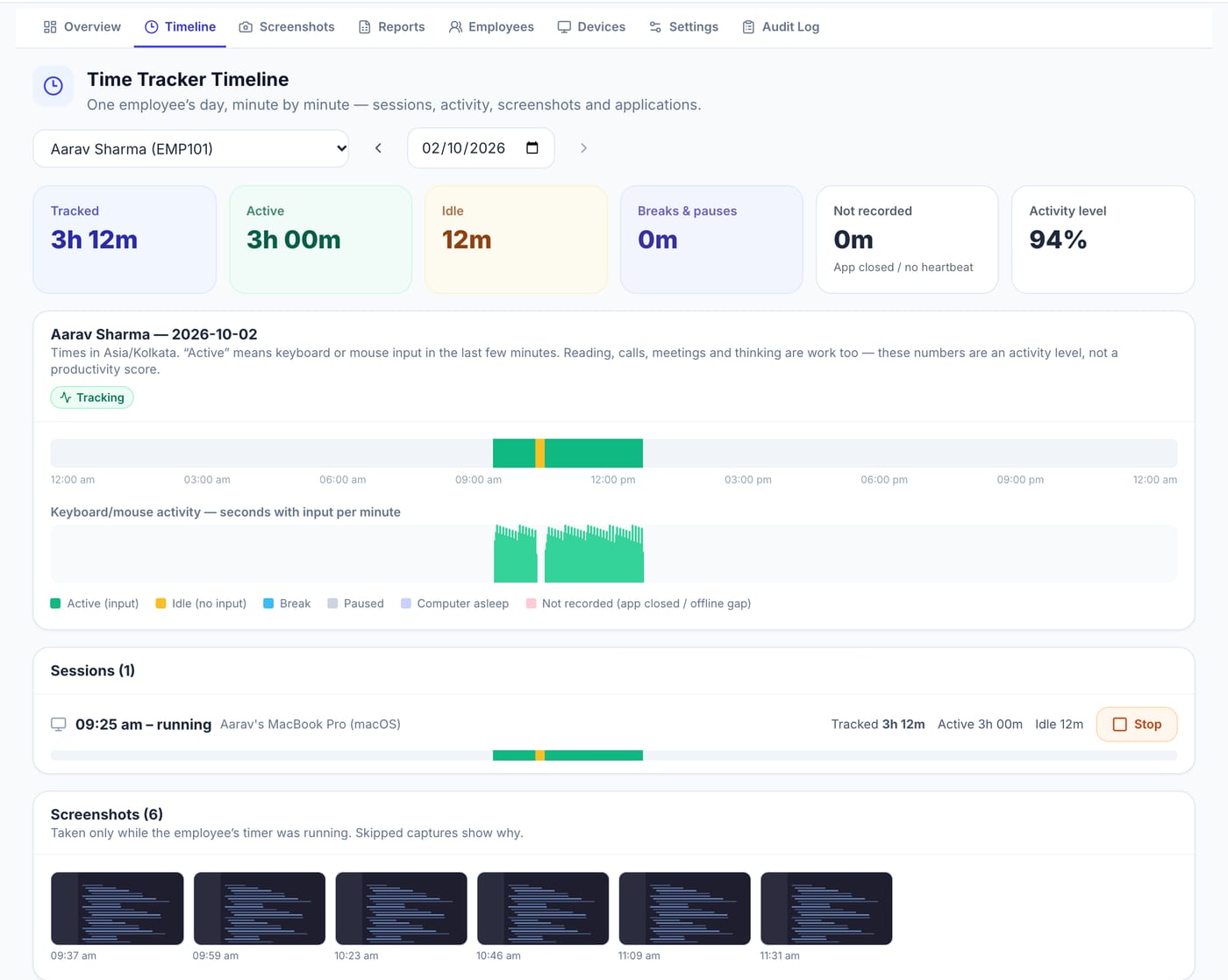
While no single number proves anything, context helps. A timeline that shows unusually uniform activity for hours, no breaks, and output that does not match the time recorded suggests a conversation. If your organisation has chosen to enable application names, a single application in front for an entire day might add context. Treat these as reasons to ask, not as proof.
Fix the incentive, not just the device
Banning jigglers without changing anything else leads to a hunt for better workarounds. Instead, stop using activity percentages as a performance score, explain that reading, calls and meetings are work, and agree on outcomes for each role. Give people a legitimate way to step away: a break button and a clear pause policy. When looking busy stops mattering, there is little reason to fake it.
How Pedinno keeps the focus on fair time
Pedinno Time Tracker labels its activity level as the share of tracked time with keyboard or mouse input and states plainly that it is not a productivity score. Employees have explicit break and pause controls, so stepping away does not need to be hidden. Managers see live status, timelines and reports of tracked, active, idle and break time that are best read alongside the work delivered.
If someone is genuinely faking work
Talk privately and start with the work: which deliverables are missing and why. Show the record and ask for an explanation. If deliberate misrepresentation is confirmed, follow your documented disciplinary process. Address the individual case without turning the whole team's tracking into surveillance.
Frequently asked questions
Can time tracking software detect a mouse jiggler?
Input-based tracking, including Pedinno's, cannot reliably distinguish a hardware jiggler from real movement. Rely on outcomes and context rather than activity alone.
Is using a mouse jiggler a fireable offence?
That depends on intent, your policies and local law. Many cases are workarounds for status or screen-lock issues. Investigate before deciding.
How do we reduce jiggler use?
Stop treating activity percentages as performance scores, make breaks legitimate and measure outcomes.
See Time Tracker in action
Transparent time tracking for Windows, macOS and Android — timers, activity levels, timelines, optional screenshots and daily, weekly and monthly reports.
Review how your managers currently use activity levels and compare it with Pedinno's reports and guidance during the demo.
Explore Employee Time Tracker