A customer calls at 2 p.m. and nobody in the team picks up, because three people are on lunch at the same time. Elsewhere, a manager suspects lunch breaks are stretching to 90 minutes but has no way to know. Breaks are good for people and for the quality of their work. The goal is not to police them. It is to make them predictable, recorded and fair.
Write a short break policy
Check the rest interval rules that apply to your establishment under the labour codes and your state's rules, and write the result into the policy.
- The length of the main meal break and any short breaks.
- Whether breaks are paid or unpaid.
- Whether break times are fixed, staggered or flexible.
- Minimum cover needed during breaks for customer-facing teams.
- How breaks are recorded.
Stagger breaks where cover matters
For teams that serve customers or handle calls, agree a simple rota so that someone is always available. A shared calendar or a fixed sequence is usually enough. Visible live status helps the team see who is on a break right now and who is covering.
Record breaks as breaks
When there is no way to record a break, it shows up as unexplained idle time or disappears entirely. Give employees an explicit break control. That protects them, because a proper lunch is recorded as a lunch, and it gives managers accurate totals without asking anyone where they were.
Look at totals, not individual minutes
A lunch that runs ten minutes over on one day is not worth a conversation. A weekly report that shows break time consistently far above the policy is. Review break totals weekly and discuss patterns privately. Equally, look out for people who never take a break; that is a burnout risk worth addressing.
How Pedinno tracks breaks
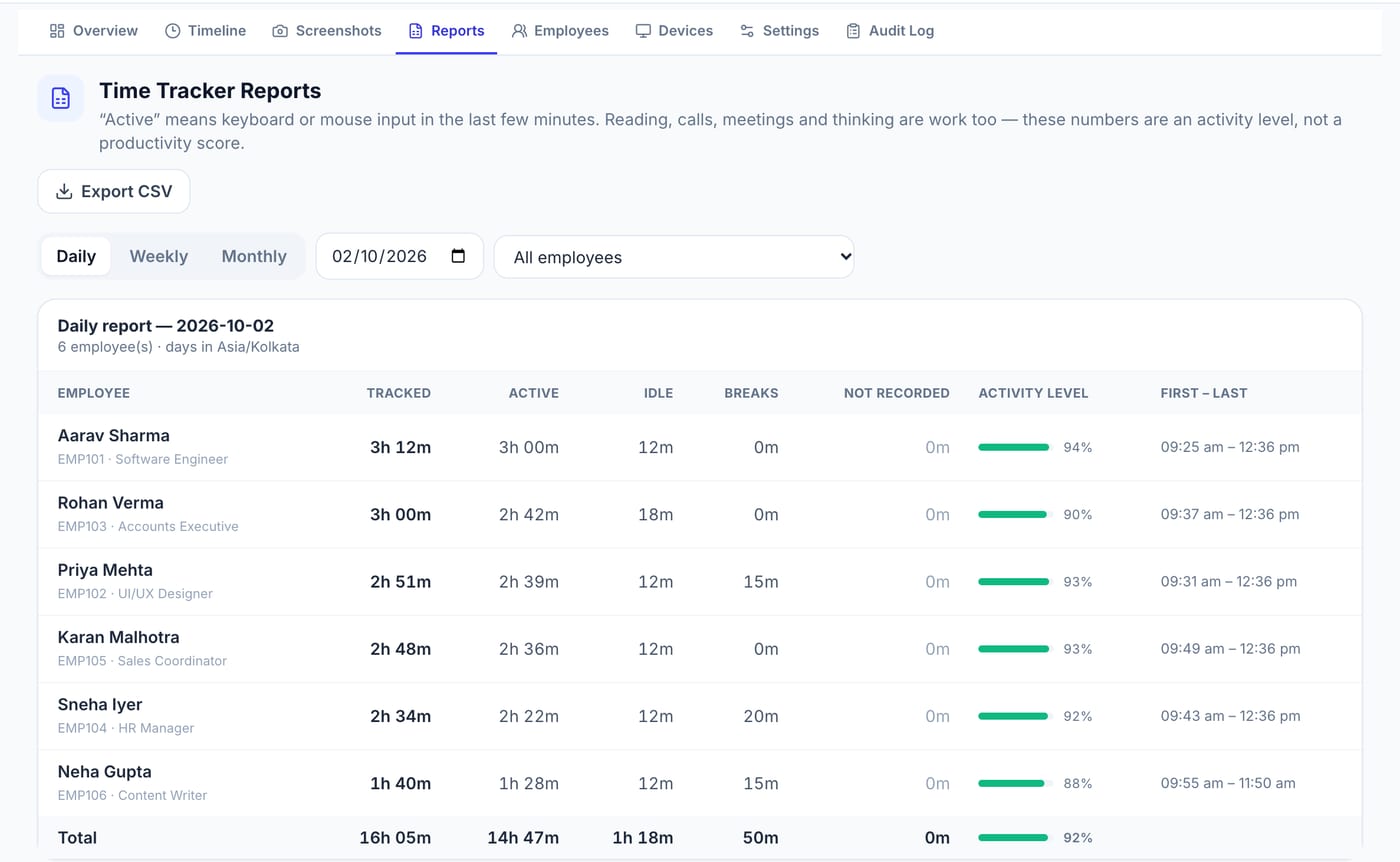
Pedinno Time Tracker gives employees start, pause, break and stop controls on Windows, macOS and Android. The live overview shows who is tracking, idle, on a break, paused or not responding, so team leads can see cover at a glance. Daily, weekly and monthly reports list break time separately from tracked, active and idle time for each employee, with CSV export.
Use break data to improve the day
After a month, review the patterns with the team. You might find that a fixed lunch hour creates a phone-cover gap, or that a team skips breaks during month-end. Small changes such as staggered lunches or an extra short break during peak periods often improve both service and wellbeing.
Frequently asked questions
Should breaks be paid or unpaid?
That depends on your policy, employment terms and the rules that apply to your establishment. State it clearly in the break policy.
How do I know who is on a break right now?
A live status view helps. Pedinno Time Tracker's overview shows who is tracking, idle, on a break or paused.
Is idle time the same as a break?
No. A break is time the employee deliberately marks as a break. Idle time is when the timer runs without keyboard or mouse input.
See Time Tracker in action
Transparent time tracking for Windows, macOS and Android — timers, activity levels, timelines, optional screenshots and daily, weekly and monthly reports.
Ask for a walkthrough of the live overview and a daily report showing break time for a sample team.
Explore Employee Time Tracker