A year ago most business AI was a chat box: you asked a question and copied the answer somewhere else. In 2026 the conversation has moved to AI agents, software that reads a goal, decides which steps to take, uses tools such as your ERP, email or WhatsApp, and reports back. Agents can save real time, but they also fail in new ways. This guide explains what an agent actually is, which tasks suit one today and how to run a pilot without putting your data or customers at risk.
What an AI agent is, in plain terms
An AI agent is a large language model (LLM) connected to tools and allowed to decide, step by step, which tool to call next. A tool can be a database query, a search, an API that creates an invoice draft, or a function that sends a WhatsApp message. The model looks at the result of each step and chooses the next one until the goal is met or it needs help.
That is different from a fixed workflow, where a developer writes the sequence in advance, and from a chatbot, which only produces text. Many useful business systems are a mix: a fixed workflow with one or two steps where the model makes a judgment, such as classifying an incoming request or drafting a reply.
Why agents became practical this year
Three changes made agents usable outside research labs. Models became much more reliable at calling tools with correct parameters. Open standards such as the Model Context Protocol (MCP) made it simpler to connect a model to business systems without writing a custom integration for every tool. And model providers added longer context, structured outputs and better cost controls, so an agent can work through a multi-step task at a predictable price.
Tasks agents handle well today
The best early uses are repetitive, rule-guided tasks where the agent gathers information from several places and prepares something for a person to approve.
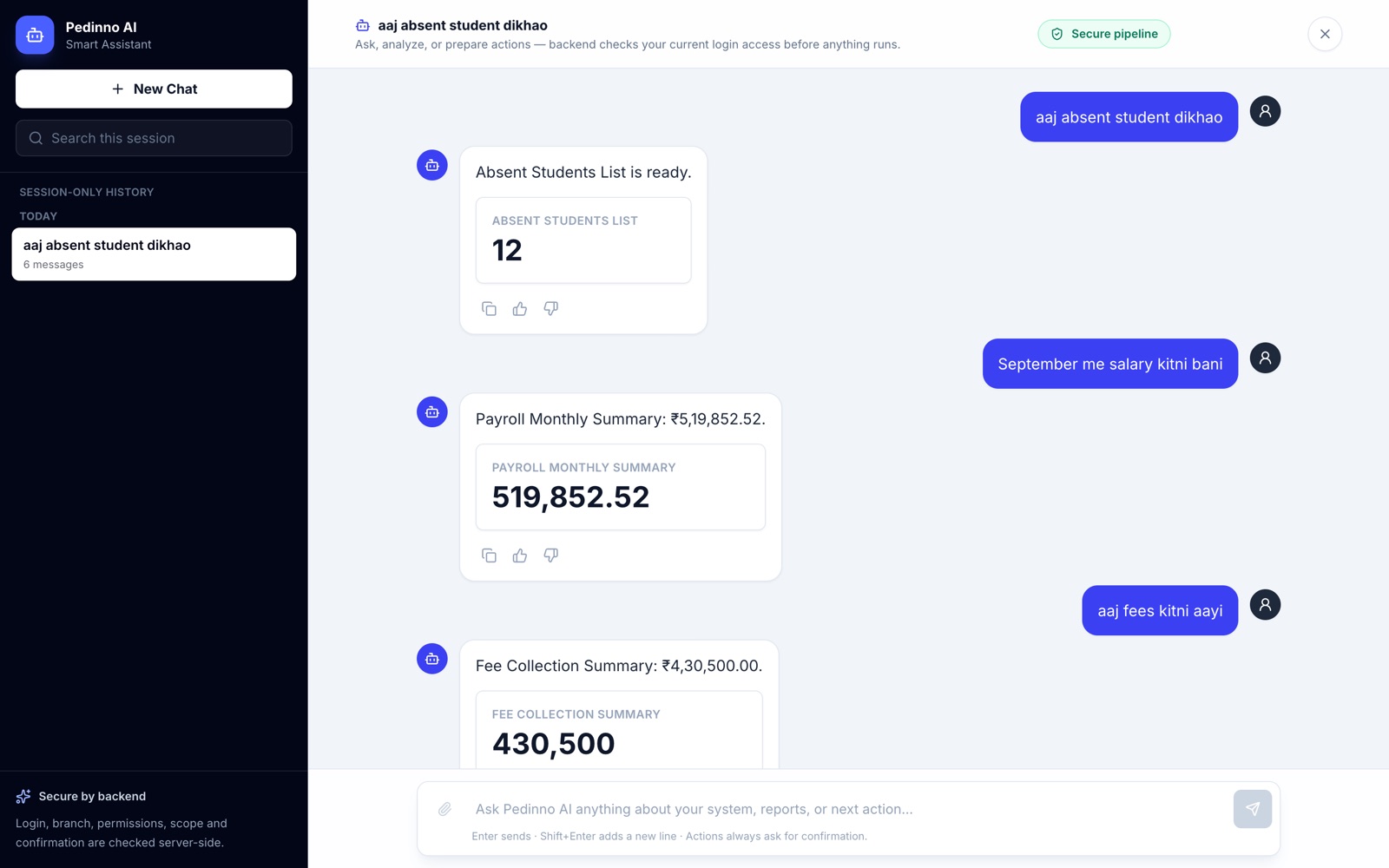
- Answering staff questions from ERP, HR or school records, such as outstanding fees by class or leave balances by department.
- Preparing a daily or weekly MIS summary from attendance, sales and accounts data.
- Triaging incoming email or WhatsApp enquiries, tagging them and drafting replies for review.
- Matching supplier invoices against purchase orders and listing the mismatches.
- Shortlisting job applications against agreed criteria and explaining each decision.
Where agents still go wrong
Agents can choose the wrong tool, misread a field, loop on a step or state something confidently that the data does not support. Errors also compound: a small mistake in step two can make every later step wrong. And because an agent acts rather than only writes, a mistake can send a message, change a record or trigger a payment.
The practical answer is not to avoid agents but to constrain them. Give each agent the narrowest set of tools it needs, make write actions reversible or approval-gated, log every step, and set a limit on how many steps or how much spend a single task may use.
How Pedinno designs AI workflow automation with approvals built in
A safe way to run a first agent pilot
- Pick one process with a clear owner, a measurable outcome and low cost of a mistake.
- Write down the business rules and the five or six tools the agent may use, and nothing more.
- Start read-only: let the agent research and draft, while people perform every action.
- Build a test set of 30 to 50 real cases with known correct outcomes and score the agent against it.
- Turn on write actions one at a time, each behind a human approval step, once accuracy holds up.
- Review the logs weekly for the first month and adjust prompts, tools and rules.
See how Pedinno AI Assistant answers business questions from your own data
Choosing between an agent and a simple workflow
If you can draw the process as a flowchart with fixed steps, a conventional workflow with an AI step inside it is usually cheaper, faster and easier to test than a fully autonomous agent. Agents earn their place when the path genuinely varies from case to case, for example when the information needed to answer a question could live in any of several systems. Pedinno typically starts clients with the simpler design and adds agent behaviour only where it removes real manual work.
Frequently asked questions
Is an AI agent the same as a chatbot?
No. A chatbot replies with text. An agent can also call tools, such as querying a database or creating a draft record, and decides which steps to take to reach a goal.
Can an AI agent work with our existing ERP or HR software?
Usually, if the software has an API or a database the agent can query safely. Standards such as the Model Context Protocol make these connections simpler to build and maintain.
Should an AI agent be allowed to send messages or make payments on its own?
Not at first. Start with read-only access and drafts, then allow specific actions behind a human approval step once the agent has proven accurate on real cases.