A parent says the school fee was paid yesterday, but the office spreadsheet still shows an outstanding balance. The class teacher forwards another reminder, and accounts spends the afternoon checking receipts. The immediate problem looks like fee collection. The underlying problem is that payment records, concessions and parent communication do not share one reliable view.
Why school fee dues become difficult to manage
A school may accept cash, bank transfers, cheques and online payments while recording each in a different place. Transport fees may sit with another team, and concession approvals may remain in messages. When staff prepare a defaulter list, they have to reconstruct what each student actually owes. A reminder based on an incomplete record can create an unnecessary dispute.
Before adding more follow-up calls, check whether the office can answer three questions for any student: what was charged, what was received, and what remains due. If those answers require several registers, a shared fee ledger is the first improvement to make.
Build an accurate student fee ledger first
Document the fee heads, due dates, instalment schedules and approved concessions for each class. Reconcile opening balances before importing them. Keep a receipt reference against every payment and distinguish a payment awaiting verification from a confirmed receipt. This gives office staff a consistent starting point and prevents a software migration from carrying old discrepancies into the new academic year.
Prioritise follow-ups using the actual balance
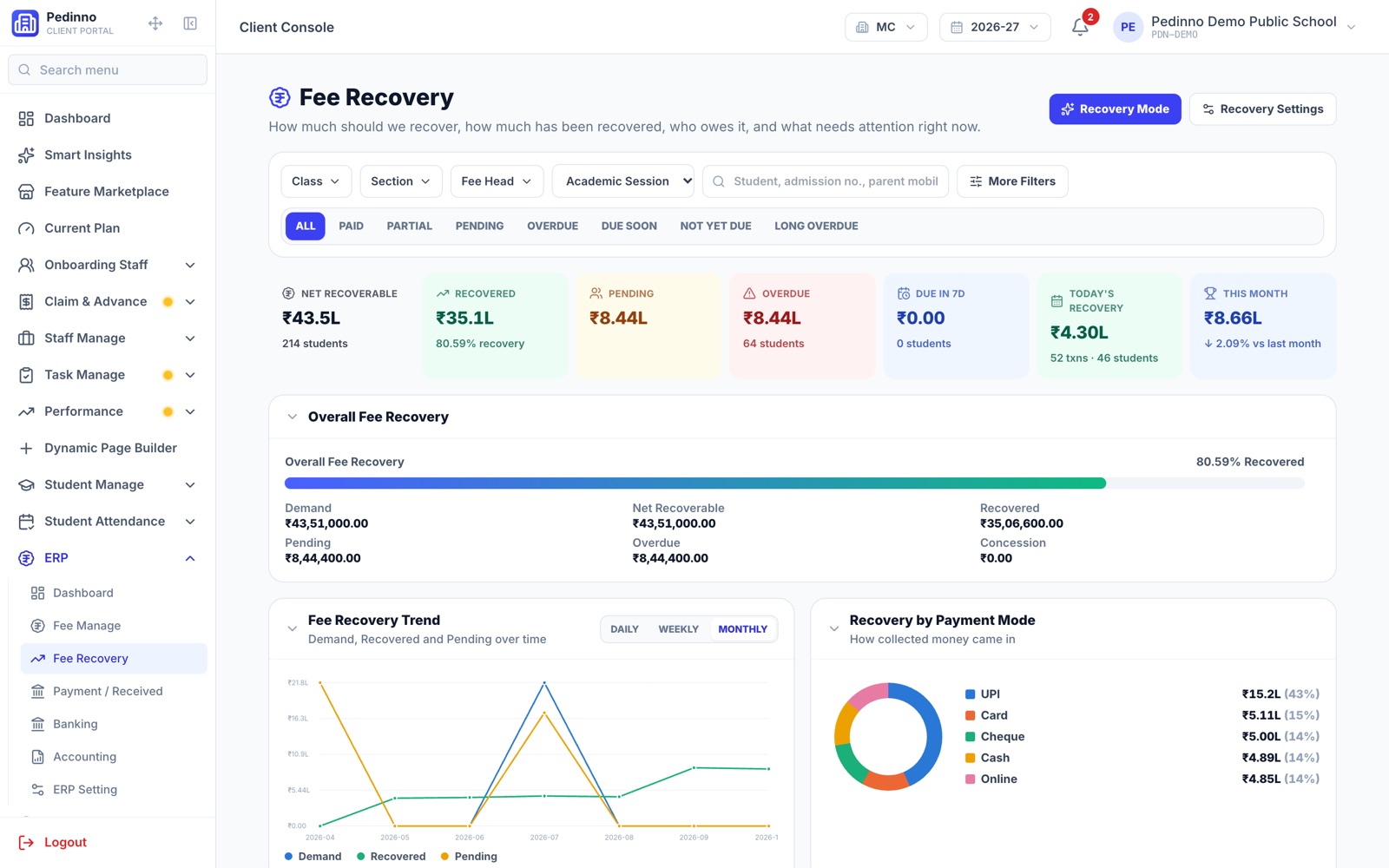
A useful recovery queue separates recent dues, older balances, disputed charges and promised payment dates. Assign an owner for each exception rather than repeatedly sending the same reminder. For example, a family with an approved instalment arrangement needs a different conversation from a payment that has not been matched to a student. Agree on respectful communication and escalation rules before automating messages.
- Verify the student and guardian contact before sending a reminder.
- Exclude payments that are still being reconciled from repeated follow-ups.
- Record the next action and the person responsible for it.
- Review overdue balances by class and fee head, not only as a school-wide total.
How Pedinno School ERP connects the workflow
Pedinno School ERP includes fee structures, concessions, receipts, online payment integration, student ledgers and fee recovery follow-ups. Admissions and student records sit alongside those workflows, so the office can work from the student's record instead of assembling several spreadsheets. Its separate RTE fee module supports RTE-specific structures, receipts and reimbursement reports where required by the school.
Give parents a clearer way to check fees
The Pedinno Student & Parent app brings fees and receipts together with attendance, homework, results and notices. School communication can also use WhatsApp alerts. Explain to parents where to check a receipt and whom to contact if a balance looks wrong. Online payment availability depends on the payment gateway configured for the school; demonstrate that exact payment and receipt flow before launch.
Start with one class and measure the result
Pilot the workflow with one class or fee cycle. Use representative cases: a full payment, a concession, an instalment and an unmatched transfer. Compare the time needed to reconcile payments and prepare a verified overdue list before and after the pilot. Track incorrect reminders and unresolved balance disputes alongside collections. These measures show whether the process improved; software alone cannot guarantee that every overdue fee will be recovered.
Frequently asked questions
Can Pedinno collect school fees online?
Pedinno fee management supports online payments through integrated gateways, alongside cash, cheque and bank receipts. Confirm the gateway and reconciliation workflow during setup.
Can a small school start with fee management only?
Modules can be enabled as needed. A school can begin with student records, attendance and fees, then add examinations, transport or library workflows.
Will automated reminders remove all fee dues?
No. Reliable records and timely communication support recovery, but payment arrangements, disputed charges and family circumstances still require staff attention.
See School ERP in action
Complete AI-powered school ERP — admissions, attendance, fees, exams, online tests, homework, transport, library, ID cards, certificates and a Student & Parent app.
Bring a sample fee structure and an anonymised overdue list. Ask for a walkthrough from student ledger to receipt, follow-up and parent view.
Explore School ERP & Education Management